Creo direct SAT export
Creo to Revit: create a lighting family with IES
Creo can export ACIS SAT directly. Choose File → Save As → Save a Copy → ACIS File (*.sat), open Options and set Version to 7 or 4. Pair the prepared SAT with IES in BIMMER to create a Revit 2025+ lighting family. BIMMER accepts SAT, not native PRT or ASM files.
Before you upload
Creo / Pro-E: export the correct SAT
BIMMER needs text SAT + IES. Export the geometry first; native CAD, STEP and binary SAB are not direct uploads.
- Text .sat
- ACIS 7.0 or 4.0
- Solid geometry
- Known units · mm preferred
- Prepare a copy with closed solids in millimetres. Remove fasteners and hidden internals; retain the aperture, housing and mounting geometry. Name the emitting body clearly.
- For a large assembly, prepare one multibody part. Creo 11+ supports individual solid Shrinkwrap bodies: choose Bodies and Keep as separate objects where available. Confirm separate bodies and component positions before export.
- Open the prepared part. Choose File → Save As → Save a Copy. Set Type to ACIS File (*.sat), then click Options.
- In ACIS Export Profile Settings, set Version to 7 or 4; the documented default is 5. Review Hidden entities and Construction bodies so unwanted geometry is excluded. Keep required geometry solid.
- Click OK in the profile, then OK in Save a Copy. Reopen the SAT and check dimensions, body count and emitter identity. Pair it with the matching IES in BIMMER and review the generated family.
Names help detection. Name the actual light-source parts Lens, Optic, COB, LED, Lamp or Glass. Keep holders labelled as holders; name mounting parts Canopy, Mounting foot or Backplate.
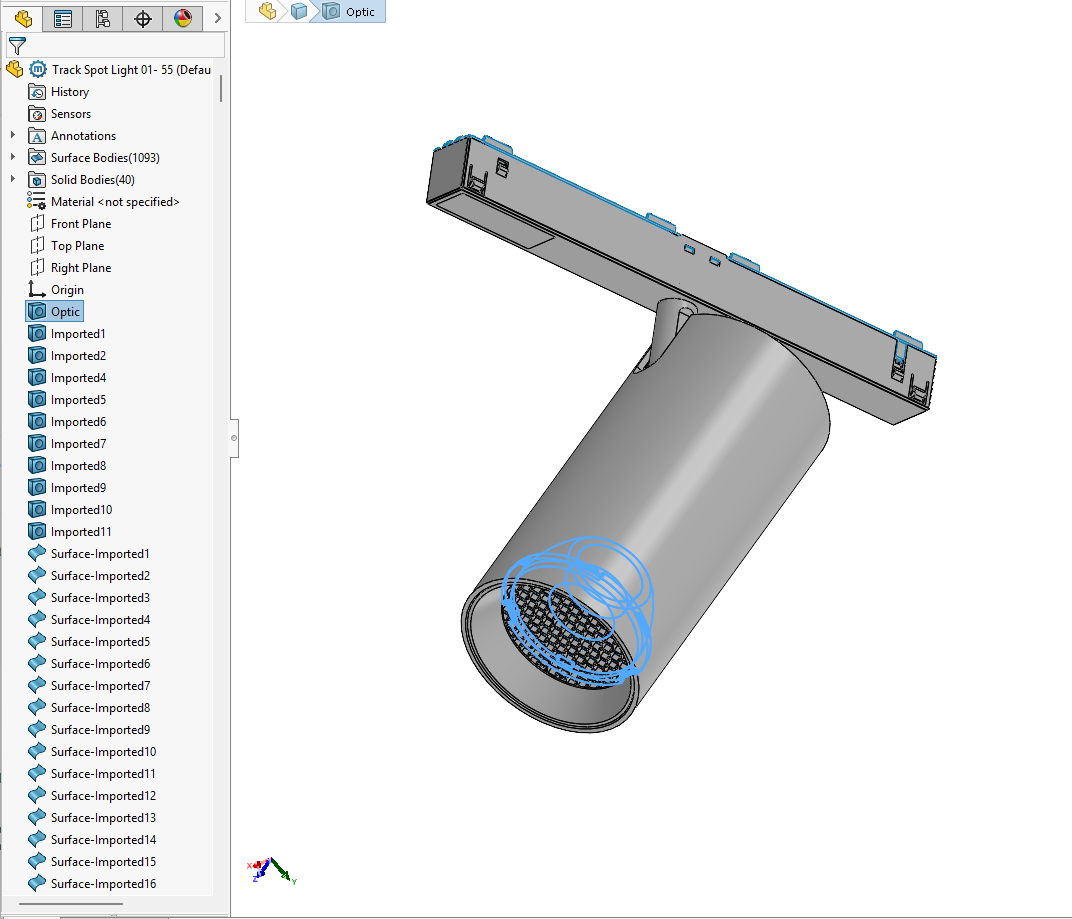
Menu names and export options vary by version and licence. Check one representative SAT from Creo / Pro-E before converting a full range.
A 700 or 400 SAT header identifies ACIS 7.0 or 4.0. Check the actual export; changing the file extension or editing the header does not convert geometry.
In your CAD software
Creo / Pro-E export settings
File → Save As → Save a Copy → ACIS File (*.sat)
Choose ACIS File (*.sat), then Options to open ACIS Export Profile Settings. Change Version to 7 or 4, confirm the profile and save. Exclude unwanted hidden entities and construction bodies. Legacy Pro/E or Creo releases may offer only 4 and 5: use 4, then check the exported solids and size.
Choose ACIS File
The Save a Copy format list contains ACIS File (*.sat). Set the version in Options after choosing this format.
Before BIMMER: re-open the SAT, check the required bodies and measure a known dimension. Then upload the SAT + matching IES. Menus may vary by software version.
Direct support status
| Input | Directly accepted? | Required action |
|---|---|---|
| Creo .prt / .asm | No | Export to ACIS SAT in Creo before upload. |
| Creo ACIS SAT 7.0/4.0 | Yes | Check closed solids, millimetres, separate bodies and version. |
| STEP | No | Optional fallback if your installation cannot produce compatible SAT; convert it in a SAT-capable tool first. |
| IES | Yes | Pair the exact photometry with the prepared SAT. |
SAT version and millimetres
Current Creo provides versions 4, 5, 6 and 7. BIMMER needs 7 or 4. Use a model prepared in millimetres and check a known exported dimension. The Export units setting is available under Advanced → Model preferences only when Enable ACIS extension is selected; do not assume it is always visible.
Older Creo and Pro/ENGINEER
Older releases use different controls. PTC documents acis_out_version 4 in Creo 3.0; its default is 5. Use the ACIS 4 setting documented for your installed release, and check the exported file. A STEP handoff is a fallback only when compatible SAT export or the required multibody preparation is unavailable.
Keep large models as separate solid bodies
A single part file can contain multiple solids. Avoid Merged Solid or faceted Shrinkwrap when emitter and housing must stay separate: those representations can merge components or close cavities. If your release cannot form a suitable multibody part, prepare it in a capable CAD tool before SAT export.
Common failures and what to change
The SAT was exported with the default ACIS version 5.
Re-export with version 7 or 4. Check the first SAT header value: 700 for 7.0 or 400 for 4.0.
Hidden internals reappear or useful bodies disappear.
Review the export profile inclusion options and the prepared part, then compare exported body count and geometry with the source.
The installed release lacks compatible SAT export or multibody preparation.
Use a neutral STEP handoff only for the missing capability, then export the prepared solid part with a tool that supports SAT 7.0/4.0.
Questions manufacturers ask
Does BIMMER directly support Creo files?
BIMMER accepts the text SAT 7.0/4.0 exported from Creo, with matching IES. Native PRT and ASM files are not upload formats.
Can Creo export SAT without another CAD program?
Yes. Current Creo documents a direct ACIS SAT exporter with version 7 and 4 options. Another program is only a fallback when your installed release lacks a needed export or model-preparation capability.
Is BIMMER a direct Creo to Revit converter?
Export compatible SAT from Creo first, then pair it with IES in BIMMER. The resulting RFA contains lighting-family data and photometry as well as the prepared geometry.