Geometry preparation
How to export ACIS SAT 7.0 for Revit
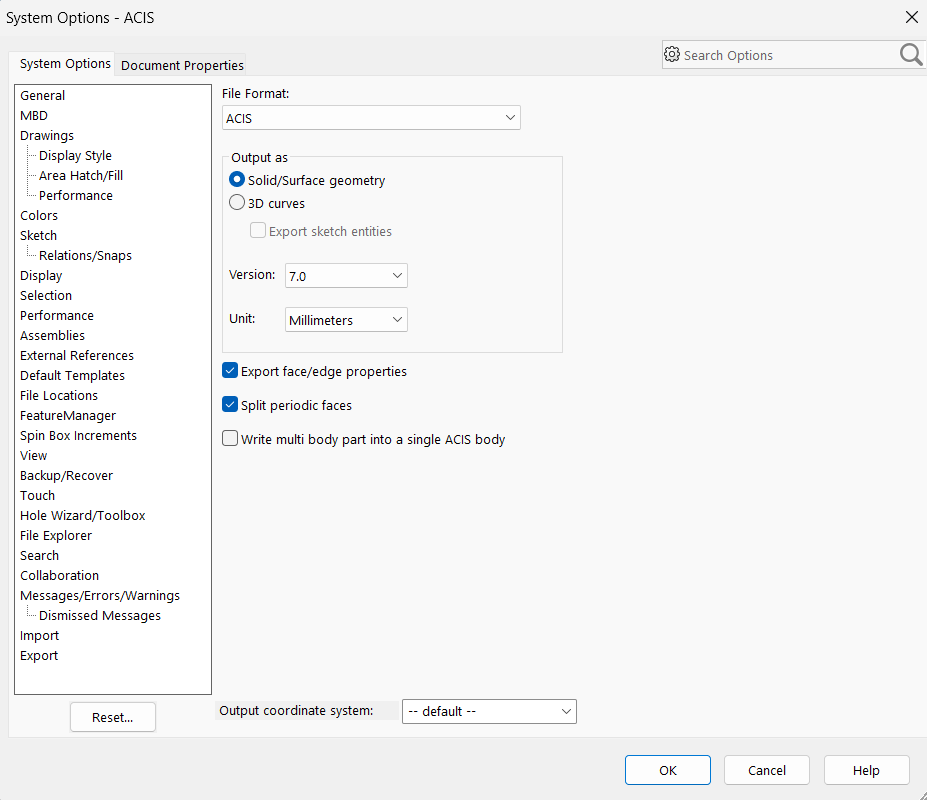
If a SAT file is not importing into Revit, check its internal ACIS revision rather than the extension alone. For the supported BIMMER workflow, export text SAT as a solid at ACIS version 7.0 or 4.0, use the intended units, keep meaningful bodies separate and re-open the exported file before pairing it with IES.
Before you upload
Choose your CAD export route
BIMMER needs text SAT + IES. Export the geometry first; native CAD, STEP and binary SAB are not direct uploads.
- Text .sat
- ACIS 7.0 or 4.0
- Solid geometry
- Known units · mm preferred
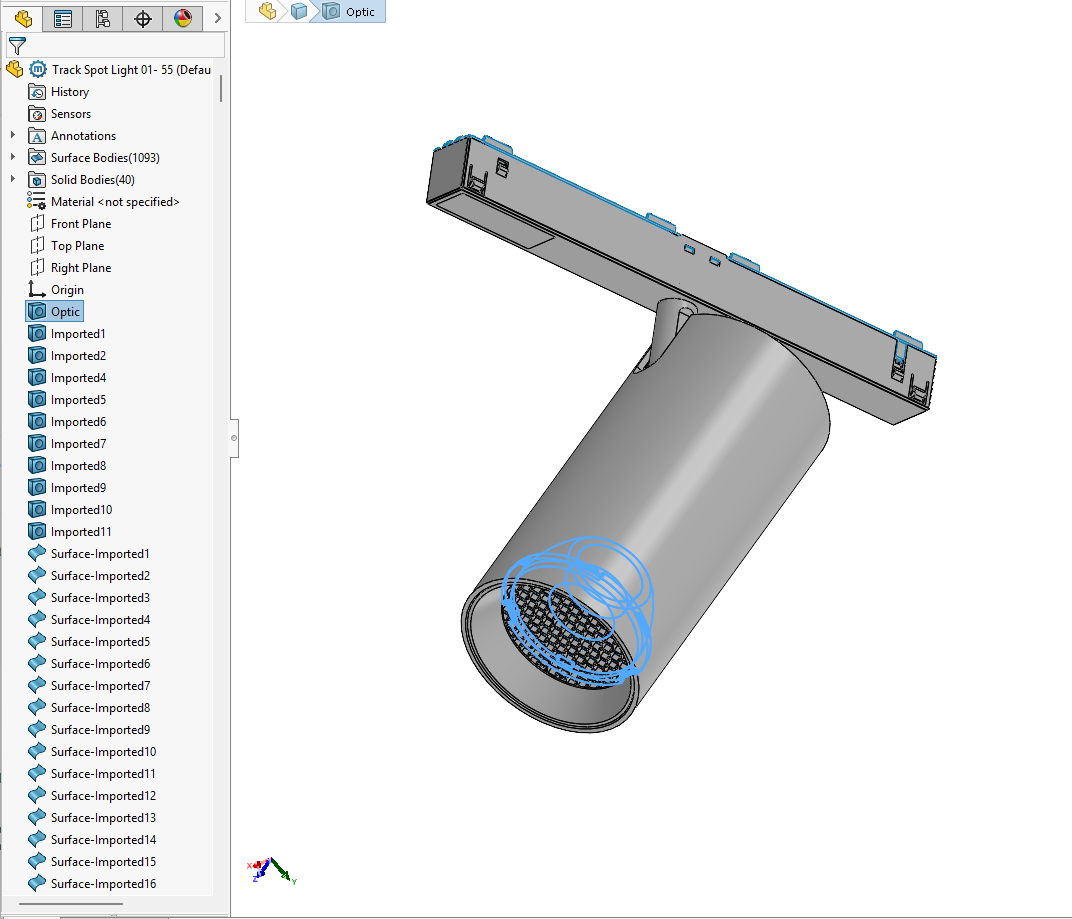
Names help detection. Name the actual light-source parts Lens, Optic, COB, LED, Lamp or Glass. Keep holders labelled as holders; name mounting parts Canopy, Mounting foot or Backplate.
A 700 or 400 SAT header identifies ACIS 7.0 or 4.0. Check the actual export; changing the file extension or editing the header does not convert geometry.
Direct support status
| Input | Directly accepted? | Required action |
|---|---|---|
| ACIS 7.0 (header 700) | Yes | Preferred tested version. |
| ACIS 4.0 (header 400) | Yes | Supported fallback for compatible exporters. |
| ACIS newer than 7.0 | No | Re-export or translate through a tool that can write 7.0/4.0. |
| Surface-only SAT | No | Heal/stitch into solids before export. |
The BIMMER workflow
- In the CAD exporter, select ACIS/SAT and open format Options rather than accepting the default.
- Choose version 7.0 or 4.0, solid output and the source model’s real units; preserve separate bodies where useful.
- Open the resulting SAT in a clean session, measure a known dimension and confirm the expected body count.
- Use the checked text SAT with its IES in BIMMER and retain the source/export settings with the catalogue record.
Revit cannot import the SAT? Check the ACIS revision
A SAT file starts with version information used by the ACIS reader. Two files named fixture.sat may contain very different revisions. BIMMER’s preflight and Revit pipeline treat version 7.0/4.0 as an explicit compatibility boundary, not a cosmetic recommendation.
Geometry quality still matters after versioning
Downgrading the file version does not repair gaps, self-intersections or excessive detail. Export watertight solids and reduce details that disappear at specification scale. Preserve the product envelope, aperture, mounting and material boundaries; discard manufacturing noise.
Common failures and what to change
Revit imports an empty object.
Verify the SAT’s internal version and re-export at 7.0/4.0 as Solid.
The family is 25.4× or 1000× too large/small.
Correct the export units and verify a known physical dimension before uploading.
Faces or tiny parts disappear.
Heal the source solid and simplify fine/internal geometry; do not rely on ACIS version selection to fix topology.
Questions manufacturers ask
Is ACIS 7.0 the same as a file named .sat?
No. SAT is the format; 7.0 is the internal ACIS revision. Select it in export options rather than relying on the extension.
Does changing to ACIS 7.0 simplify my model?
No. Version selection controls compatibility. You must still heal solids and remove unnecessary manufacturing detail in CAD.
Why can Revit not import my SAT file?
A common cause is a SAT written at a newer ACIS revision. Re-export a solid text SAT at ACIS 7.0 or 4.0, confirm units and topology, then test it again.
Primary references
- ACIS files and export options — SOLIDWORKS
- Inventor SAT export uses version 7.0 — Autodesk Inventor
- ACIS SAT export options in Rhino 8 — McNeel
- About importing ACIS objects into Revit — Autodesk