Exact supported workflow
How to convert a SAT file and IES into a Revit family
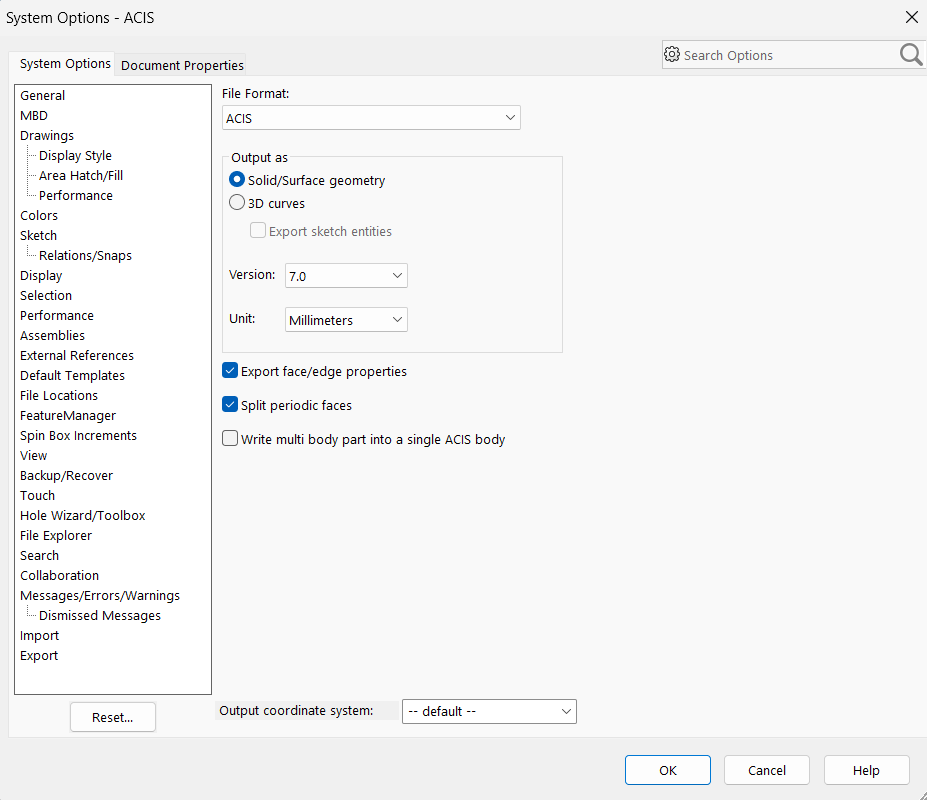
To convert a SAT file to a Revit file with BIMMER, pair the text ACIS .sat solid with its matching .ies photometry. Export the geometry at ACIS version 7.0 or 4.0, preferably in millimetres, keep useful parts as separate bodies and review the emitting-part selection before generating. Binary .sab is not a direct input. BIMMER returns a verified Revit 2025+ .rfa family.
Before you upload
Choose your CAD export route
BIMMER needs text SAT + IES. Export the geometry first; native CAD, STEP and binary SAB are not direct uploads.
- Text .sat
- ACIS 7.0 or 4.0
- Solid geometry
- Known units · mm preferred
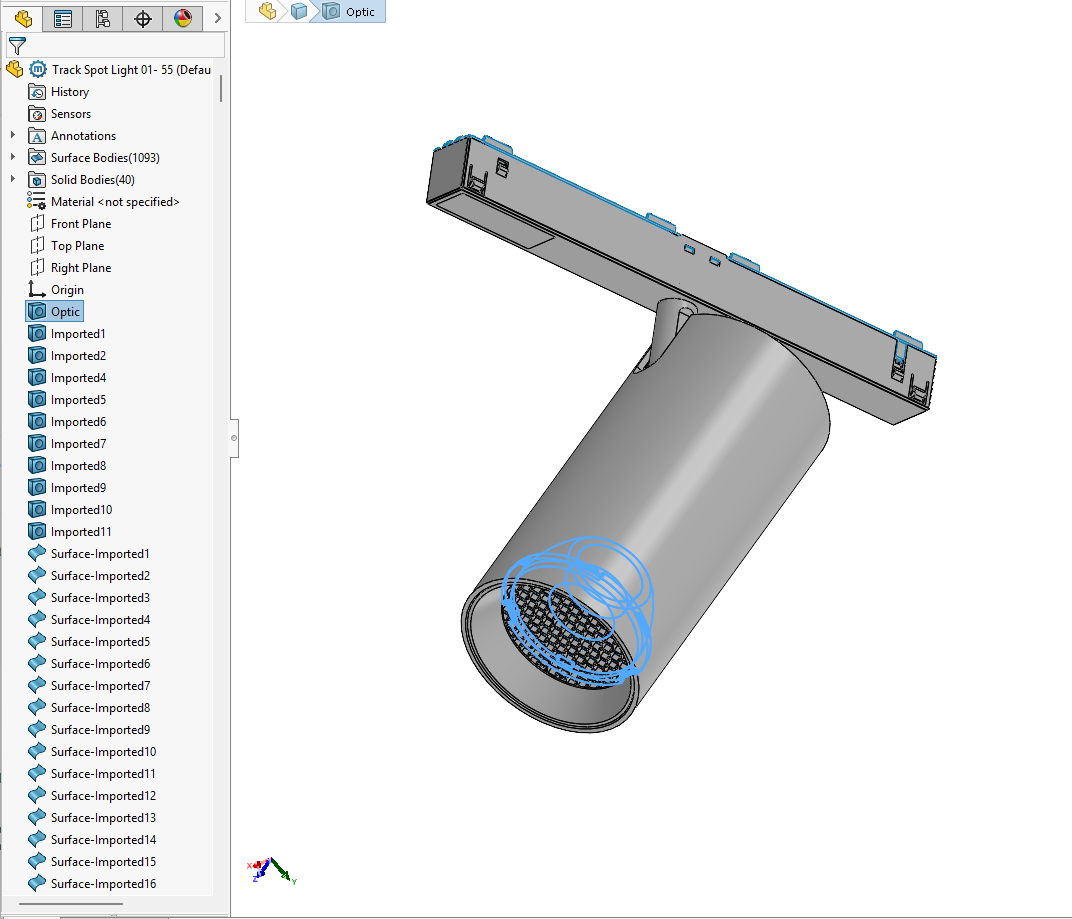
Names help detection. Name the actual light-source parts Lens, Optic, COB, LED, Lamp or Glass. Keep holders labelled as holders; name mounting parts Canopy, Mounting foot or Backplate.
A 700 or 400 SAT header identifies ACIS 7.0 or 4.0. Check the actual export; changing the file extension or editing the header does not convert geometry.
Direct support status
| Input | Directly accepted? | Required action |
|---|---|---|
| Text ACIS .sat | Yes | Preferred because its header and body structure are easier to diagnose. |
| Binary ACIS .sab | No | Re-export or translate to text .sat at ACIS 7.0 or 4.0. |
| IES photometry | Yes | Required for each generated lighting family. |
| SAT newer than ACIS 7.0 | No | Re-export at ACIS 7.0 or 4.0 before conversion. |
The BIMMER workflow
- An assembly can work directly. If its export loses bodies or names, try a copy saved as a multibody part (see the tool guides).
- Export the luminaire as a solid text SAT at ACIS 7.0 or 4.0; use millimetres and do not merge bodies when part materials matter.
- Check the suggested emitting body in BIMMER and use the correct measured IES for this variant. Model-tree order is optional.
- Add both files to one BIMMER fixture row, review the detected bodies and editable product parameters, then generate.
- Review the result summary and download the verified RFA; failed work is reported with a reason rather than presented as ready.
SAT file to Revit: why the ACIS version matters
SAT is a container for ACIS geometry, and its internal version matters more than the filename. Current CAD tools often export a much newer ACIS revision by default. BIMMER’s tested Revit import path requires ACIS 7.0 or 4.0, so lock the exporter to one of those versions.
Separate bodies preserve useful product structure
A merged solid can still become a family, but it behaves as one part. Keeping the bezel, heatsink, lens and light-emitting body separate lets the generated family preserve individually selectable geometry and material control. BIMMER combines optical geometry, nearby housing and labels; check the emitting-part selection before Generate.
Common failures and what to change
The log reports an unsupported or too-new ACIS version.
Change the CAD export option to 7.0 or 4.0; renaming the extension does not convert the file.
The result is one indivisible material.
Turn off exporter options that write a multi-body part as one ACIS body, then export again.
The IES validates but belongs to another optic.
Match files by product code, optic and CCT before batching; photometry cannot be inferred from geometry.
Questions manufacturers ask
Does BIMMER accept binary SAB as well as text SAT?
No. BIMMER preflight and Revit import use text ACIS .sat. Re-export or translate a binary .sab file to text SAT 7.0 or 4.0 first.
Can I use ACIS 8, 20 or a current default version?
Not in the supported workflow. Export at ACIS 7.0 or 4.0 to stay within the tested Revit import boundary.
Can I convert a SAT file to a Revit file online?
Yes when it is a compatible text SAT 7.0 or 4.0 and you also provide the matching IES. BIMMER runs in the browser and returns a Revit 2025+ lighting-family RFA.
Primary references
- ACIS files and export options — SOLIDWORKS
- About importing ACIS objects into Revit — Autodesk
- Specify an IES file for a light source in Revit — Autodesk