Autodesk Inventor workflow
Inventor to Revit: create a lighting family with IES
For an Inventor to Revit family workflow, create or derive a simplified solid in Inventor, export it as SAT with ACIS version 7.0 (or 4.0 where available), verify units and bodies, then pair that SAT with the matching IES in BIMMER. BIMMER does not directly accept IPT or IAM files and returns a Revit 2025+ RFA.
Before you upload
Inventor: export the correct SAT
BIMMER needs text SAT + IES. Export the geometry first; native CAD, STEP and binary SAB are not direct uploads.
- Text .sat
- ACIS 7.0 or 4.0
- Solid geometry
- Known units · mm preferred
- For a large assembly, create a new part and use Manage → Derive to select the assembly. Choose Maintain each solid as a solid body. The assembly-derived default merges solids, so change it before continuing; Inventor LT does not support deriving assemblies.
- Organise useful solids and identify the emitting body; verify the model units and a known product dimension.
- Save the prepared multibody part. Choose File → Export → CAD Format → SAT Files (*.sat). Autodesk documents SAT 7.0 as the standard output; if Options shows SAT Out Version, keep it at 7.0. Use millimetres in the source document.
- Re-open the SAT, then use it with the matching IES in BIMMER and verify the generated RFA.
Names help detection. Name the actual light-source parts Lens, Optic, COB, LED, Lamp or Glass. Keep holders labelled as holders; name mounting parts Canopy, Mounting foot or Backplate.
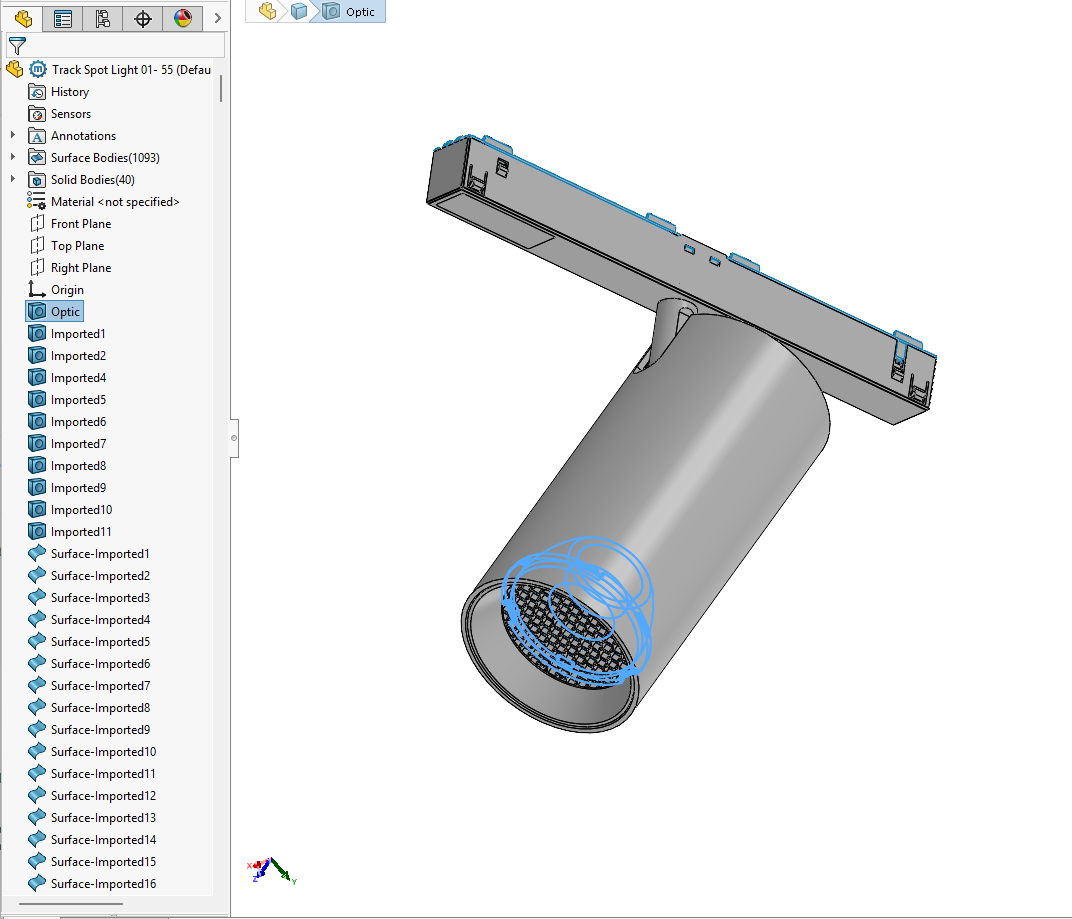
Menu names and export options vary by version and licence. Check one representative SAT from Inventor before converting a full range.
A 700 or 400 SAT header identifies ACIS 7.0 or 4.0. Check the actual export; changing the file extension or editing the header does not convert geometry.
In your CAD software
Autodesk Inventor export settings
File → Export → CAD Format → SAT Files (*.sat)
Choose SAT Files (*.sat) and save. If Options shows SAT Out Version, keep it at 7.0. Use millimetres in the source model and check the exported size. For a large assembly, Derive a part with “Maintain each solid as a solid body” before export.
Open CAD Format
From File, choose Export, then CAD Format.
Choose SAT Files
Select the highlighted SAT Files (*.sat) item in Save as type. Confirm the selection, then Save.
Before BIMMER: re-open the SAT, check the required bodies and measure a known dimension. Then upload the SAT + matching IES. Menus may vary by software version.
Direct support status
| Input | Directly accepted? | Required action |
|---|---|---|
| Inventor .ipt / .iam | No | Prepare in Inventor and export SAT. |
| Inventor SAT at ACIS 7.0 | Yes | Use a solid export with known units. |
| STEP opened in Inventor then exported SAT | With preparation | Heal and simplify the imported solid before SAT export. |
| Matching IES | Yes | Pair it with the SAT in the same BIMMER row. |
Inventor to Revit starts with a simplified SAT export
Autodesk documents both STEP import and SAT export. That makes Inventor useful for its own models and when a supplier only provides STEP, but the model still needs inspection. Repair surfaces, reduce assembly detail and confirm units before writing the SAT.
Keep the geometry needed for BIM
A large IAM can contain fixings, cables and internal electronics that do not help a Revit user. A controlled simplified representation is easier to update and produces a lighter family while retaining dimensions, mounting and appearance zones.
Common failures and what to change
There is no separate SAT version selector.
Inventor’s documented standard SAT output is 7.0. Choose SAT Files (*.sat), then check the exported header and dimensions; do not confuse sheet-metal flat-pattern settings with solid-model export.
Imported STEP bodies remain surfaces.
Use Inventor repair/stitch tools until the exported objects are solids.
Assembly detail makes the RFA heavy.
Derive a simplified part, excluding hardware and hidden internals, while keeping each useful solid separate.
Every body has the same name, or the part split lost bodies.
Check the source export. Derive the assembly into a multibody part, remove hardware, name the light body and export the part as SAT 7.0. Verify body count and dimensions before upload.
Questions manufacturers ask
Can BIMMER read IPT or IAM?
No. Export a simplified Inventor model to ACIS SAT 7.0 or 4.0 first.
Can Inventor convert a STEP source for BIMMER?
Yes as an intermediary workflow: import, heal and simplify the STEP, then export a verified SAT 7.0/4.0.
Is BIMMER a direct Inventor to Revit converter?
No for native IPT or IAM files. Export a simplified SAT 7.0/4.0 from Inventor, then combine that SAT with the matching IES in BIMMER.
Primary references
- Inventor SAT export uses version 7.0 — Autodesk Inventor
- Derived parts: maintain each solid as a solid body — Autodesk Inventor
- How to import a STEP file into Revit — Autodesk
- About importing ACIS objects into Revit — Autodesk