Pillar guide
How to convert a 3D CAD model and IES file into a Revit file
To convert a CAD file to a Revit file for a luminaire, first export the simplified 3D model as text ACIS SAT 7.0 or 4.0, then pair that SAT with the matching IES in BIMMER. BIMMER builds and verifies a Revit 2025+ lighting-fixture family (.rfa). It does not directly accept STEP, SLDPRT or other native CAD files.
Before you upload
Choose your CAD export route
BIMMER needs text SAT + IES. Export the geometry first; native CAD, STEP and binary SAB are not direct uploads.
- Text .sat
- ACIS 7.0 or 4.0
- Solid geometry
- Known units · mm preferred
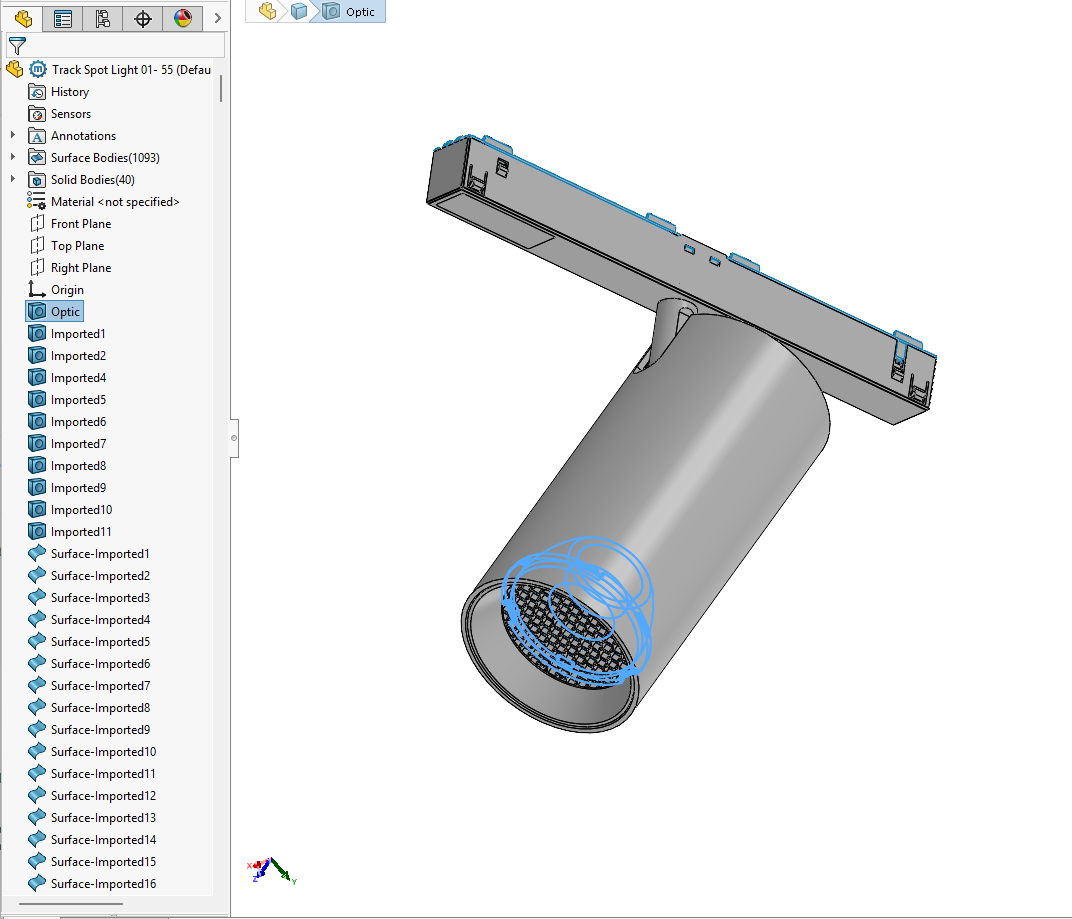
Names help detection. Name the actual light-source parts Lens, Optic, COB, LED, Lamp or Glass. Keep holders labelled as holders; name mounting parts Canopy, Mounting foot or Backplate.
A 700 or 400 SAT header identifies ACIS 7.0 or 4.0. Check the actual export; changing the file extension or editing the header does not convert geometry.
Direct support status
| Input | Directly accepted? | Required action |
|---|---|---|
| Text ACIS .sat geometry | Yes | Export as a solid at ACIS 7.0 or 4.0; millimetres are recommended. |
| Binary ACIS .sab geometry | No | Re-export or translate it to text ACIS SAT 7.0 or 4.0 first. |
| IES LM-63 photometry | Yes | Pair the IES with the matching luminaire geometry. |
| STEP / STP | No | Open, simplify and export the geometry to ACIS SAT before using BIMMER. |
| Native CAD such as .sldprt, .ipt or .3dm | No | Use the CAD application or a suitable intermediary to export SAT first. |
The BIMMER workflow
- Simplify the manufacturer CAD model to visible product geometry; remove tiny internal parts that add weight but no specification value.
- Preserve useful bodies separately and export a solid text SAT at ACIS 7.0 or 4.0. Before export, give light-source parts accurate names: Lens, Optic, COB, LED, Lamp or Glass and label holders as holders. Name mounting parts Canopy, Mounting foot or Back plate. Review the selections and saved Preview; model-tree order is optional.
- Upload the text SAT and matching IES as one product row. Review extracted fixture parameters and generate.
- Download the .rfa and inspect orientation, dimensions, light source, photometric web, materials and schedule data.
Geometry and photometry solve different parts of the job
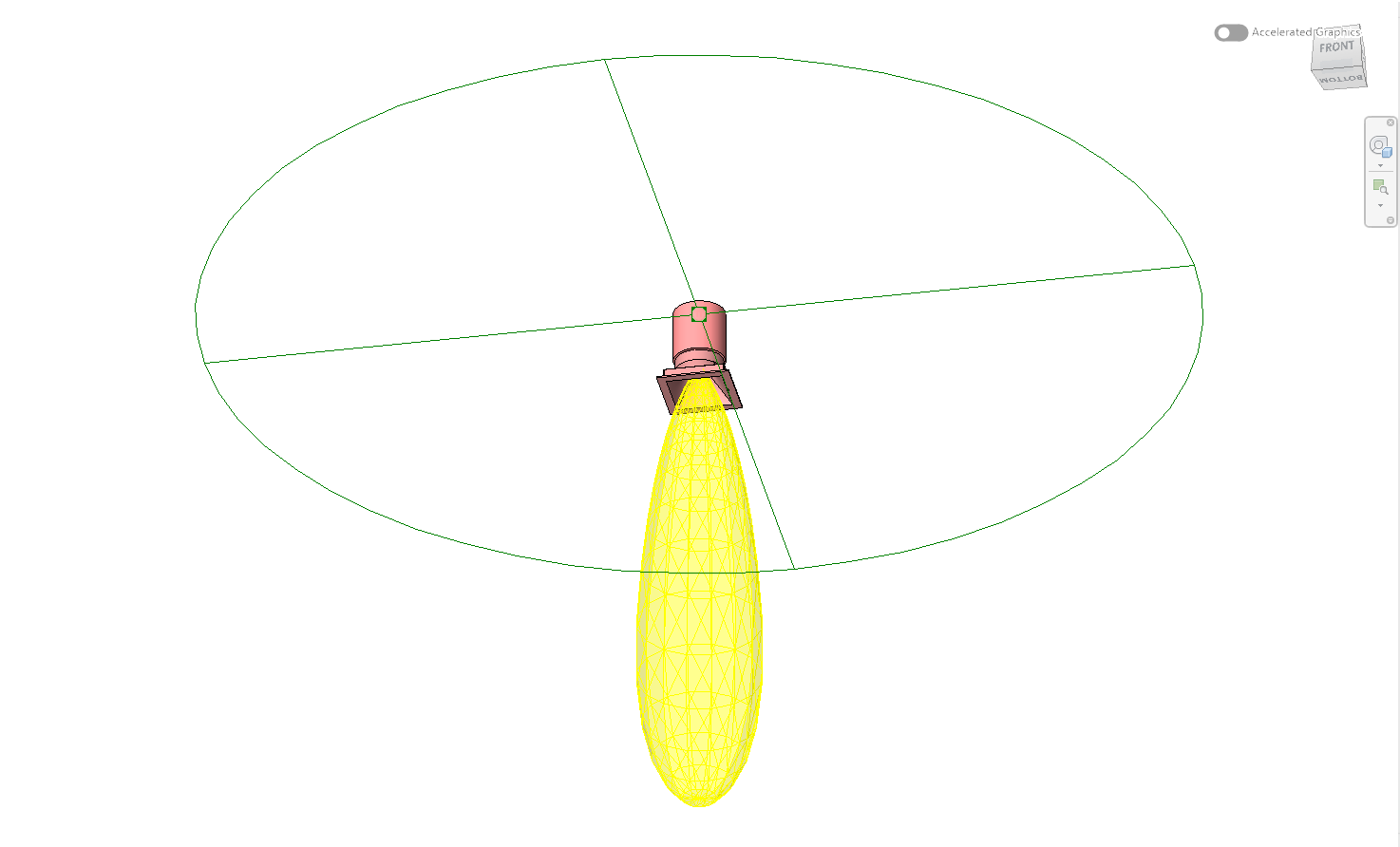
The CAD model defines the visible luminaire shape. The IES file describes measured luminous intensity by direction. A usable Revit lighting family needs both: geometry for coordination and rendering, and a configured light source carrying the photometric web for calculations and visualisation.
BIMMER binds those inputs into a category-correct RFA rather than merely importing a shape. The output includes the light source and the product data BIMMER can extract or you enter.
CAD file to Revit family: what the conversion creates
“BIM file” and “Revit file” are broad requests. For Autodesk Revit, a reusable manufacturer product is normally delivered as a family file ending .rfa. BIMMER currently builds on the Revit 2025 engine, so the result opens in Revit 2025 and later, not Revit 2024 or older.
Common failures and what to change
A modern SAT produces no geometry in Revit.
Re-export at ACIS 7.0 or 4.0. A .sat extension alone does not prove the internal ACIS version is compatible.
The family is unnecessarily large or has fractured faces.
Remove screws, springs, wiring, fine threads and unseen internals; export clean solids rather than a manufacturing-detail assembly.
Photometry is attached at the wrong point.
Before export, give light-source parts accurate names: Lens, Optic, COB, LED, Lamp or Glass and label holders as holders. Review any automatic guess and each source in the saved Preview. Verify that the IES belongs to the exact product variant.
Questions manufacturers ask
Can an IES file be converted to Revit without CAD?
An IES can define a photometric light source, but it does not contain the luminaire housing geometry. The BIMMER workflow requires the matching text SAT geometry and IES together.
Does BIMMER convert STEP directly to RFA?
No. Convert or export STEP to a simplified ACIS SAT 7.0 or 4.0 first, then use that SAT with the IES in BIMMER.
Can BIMMER convert a 3D model to a Revit family?
Yes when the lighting-product geometry is prepared as text ACIS SAT 7.0 or 4.0 and paired with its IES. BIMMER returns an RFA family, not an RVT project.
Primary references
- Specify an IES file for a light source in Revit — Autodesk
- About importing ACIS objects into Revit — Autodesk
- IES lighting standards library, including LM-63 — Illuminating Engineering Society